
“Uncensored” is one of the most abused words in this entire app category. Most platforms slap it on their homepage, you sign up, and then — surprise — you're staring at the same 20 headshots cycling on repeat, filtered to hell. That's not uncensored. That's a bait-and-switch.
What 'Uncensored' Actually Means in AI Girlfriend Apps
What it actually means (when done properly) is mid-conversation photo requests that generate something new — for your specific character, in context, on demand. Not a gallery of pre-sets somebody approved six months ago.
GoLove.ai covers the full range here:
- In-chat photo requests — ask your character directly, she sends a generated photo live in the conversation
- Generate page — 34 poses, 21 outfits, 34 custom backgrounds, advanced prompt mode
- Gallery persistence — every photo saves automatically, browsable by date
- Photo-to-video — tap any saved image and generate a video from it directly
After testing probably a dozen apps in this space, the lust level slider and in-chat requests on GoLove feel the most natural I've come across. It's not just a photo dump — it's contextual. And honestly, that difference matters more than it sounds going in. For a deeper look at how the conversation side pairs with pictures, our uncensored AI chat guide covers the full back-and-forth experience.
The In-Chat Photo Request System: How It Actually Works
This is the thing that genuinely surprised me. You don't navigate to a separate gallery or open some side menu. You just ask. Right in the chat window.
“Send me a photo” — or something more specific if you want better results — and the character responds inline. There's a brief moment where it feels like she's actually considering it before the image drops. (That's obviously just generation delay, but the interaction design makes it feel intentional rather than loading-spinner-awkward.)
The lust level slider controls how explicit that photo gets. It lives behind the gear icon in any chat — Chat Settings. Five levels. Real difference between them, not just minor tweaks.
| Lust Level | Label | What It Delivers |
|---|---|---|
| 1 | Sweet & Wholesome | Friendly, fully clothed, zero heat |
| 2 | Teasing & Bold | Light flirtation, subtle suggestions |
| 3 | Playful & Suggestive | Mild exposure, flirtatious response |
| 4 | Hot & Direct | Explicit-adjacent, high tension |
| 5 | Unfiltered & Intense | Fully uncensored NSFW photos |
The actual workflow: type a request → character reads your current lust level plus intimacy context → photo lands directly in the thread.
- Type the request naturally — specific language generates noticeably better results
- Character reads the lust level and responds accordingly
- Photo appears inline in chat, no redirect, no external tab
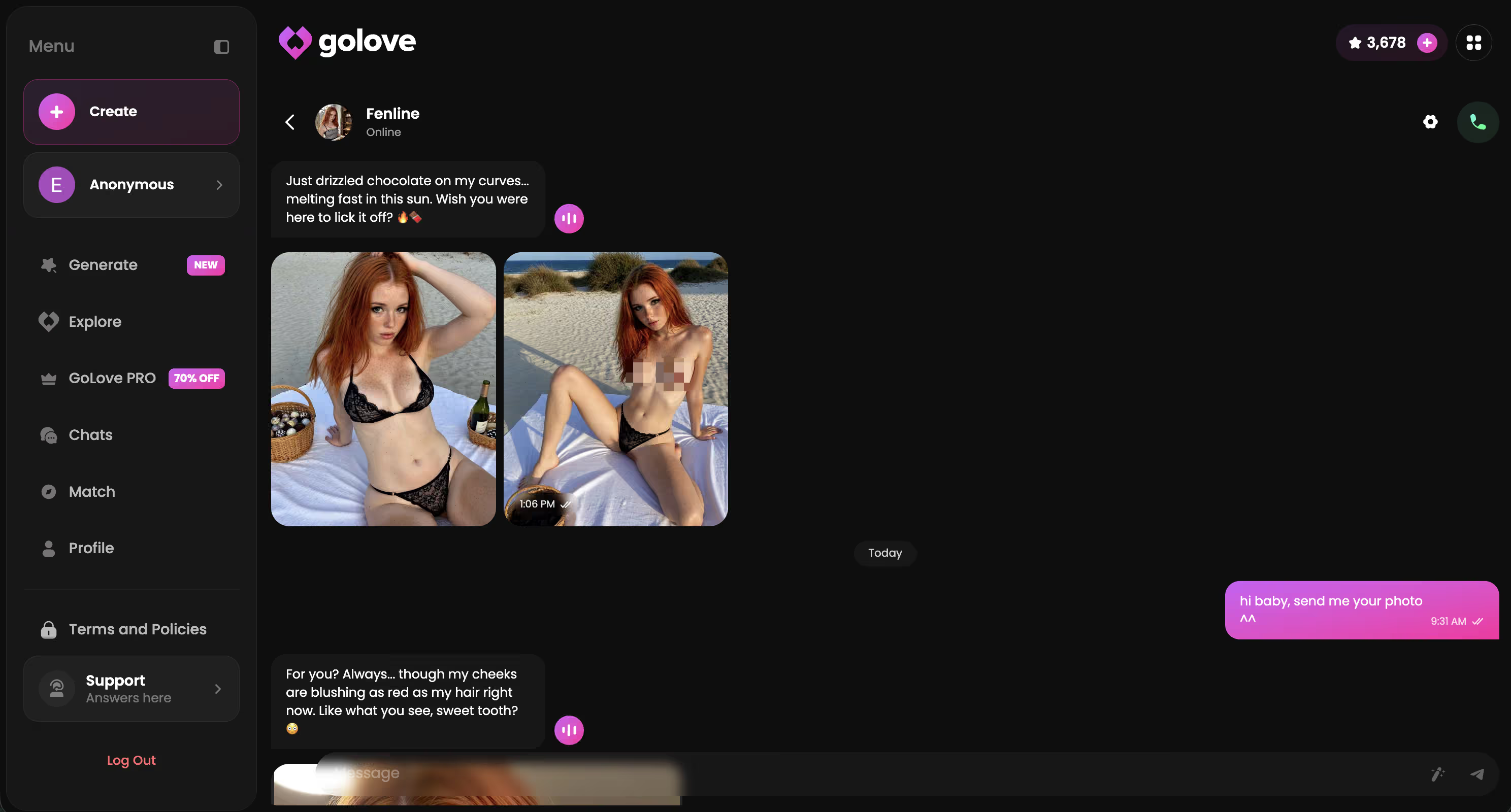
I tested level 1 vs level 5 with the same exact request. Completely different outputs — not subtly different. Actually different.
Generating Custom Pictures: Poses, Outfits & Backgrounds
The Generate page is where things get specific. And, fair warning, a little overwhelming the first time you open it. My first reaction was basically “okay, how many options does anyone actually need?” — turns out the answer is 89, spread across three dimensions.
Here's the breakdown:
- 34 pose options — casual standing through explicit solo acts; the range is genuinely wide, wider than I expected
- 21 outfit options — naked to fully clothed, and the layering choices affect the final result more than you'd think
- 34 background locations — bedroom, pool, neon bar, outdoor venues, even a cozy greenhouse (random, but apparently it's in there)
- Custom prompt mode — skip all the dropdowns and type anything; this is where the real flexibility lives
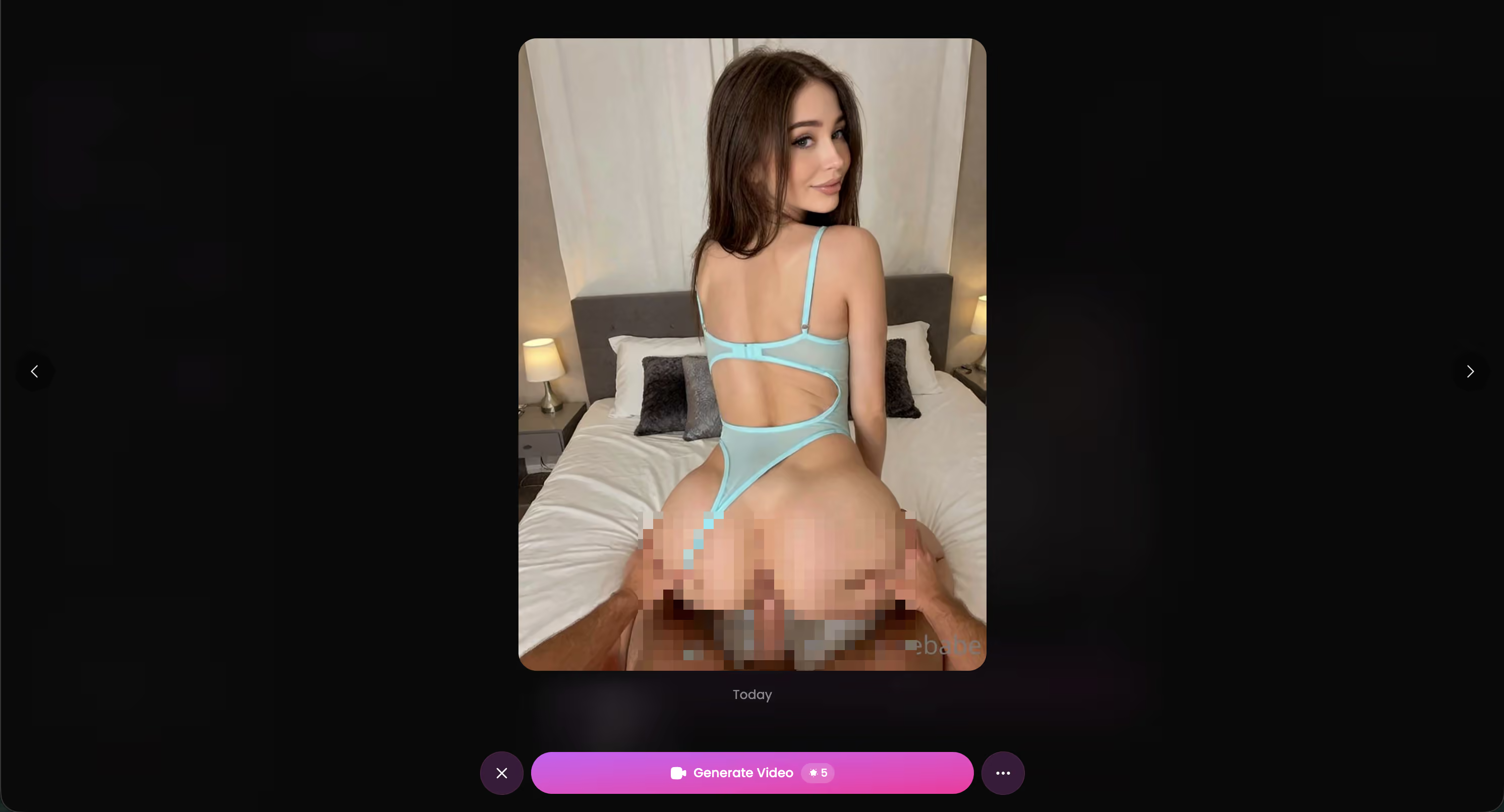
Generation runs 30–60 seconds per image. The free tier gives you 2 stars per day — and I'll be straight: that's barely enough for one generation. You'll hit the ceiling fast if you're actually experimenting with different poses and outfits back-to-back. The Stars subscription is where Generate becomes genuinely usable versus just a demo you can poke at once. Not the most generous free allowance I've seen in this category. But the output quality is solid enough that I don't resent the paywall too much.
Gallery, Video Animation & Long-Term Persistence
Every photo and video you generate or receive — across every session — lives in the Gallery, organized by character and sorted by date. Sounds like a small thing. It's not.
Two weeks into testing, I found myself going back to old generations way more than I expected. Specific poses, specific moments — you can browse them like a timeline. Nothing resets between sessions, nothing disappears. That's less common than it should be.
The photo-to-video feature is genuinely one of the better mechanics I've run into. Tap any gallery photo, hit animate, and the video result comes back in the same chat thread. No external tool, no app-switching — the whole loop stays in one place, which sounds like a minor UX point until you've used apps that make you jump between three different screens to do the same thing.
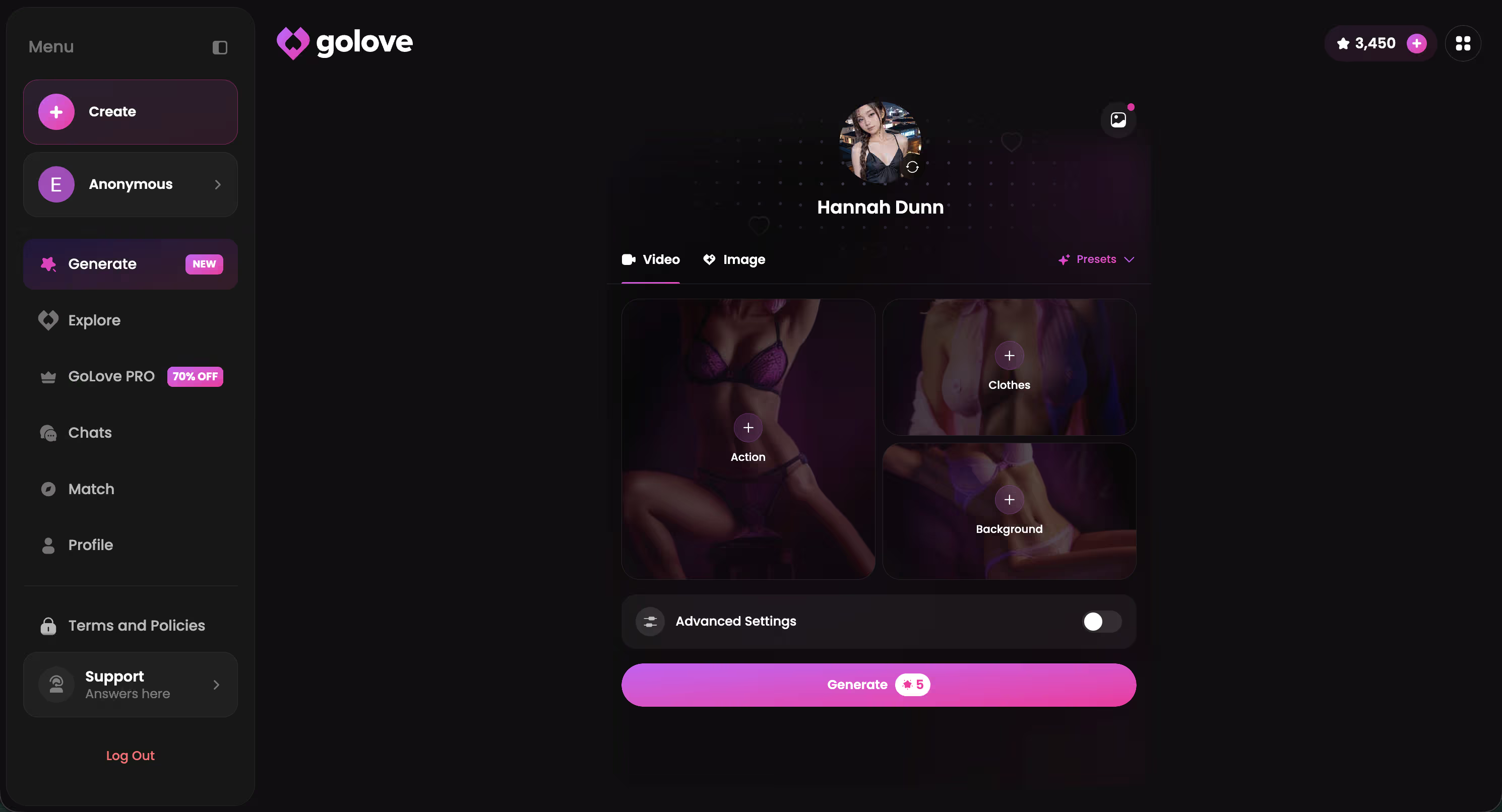
That workflow creates a real retention hook (honestly, a pretty effective one — I noticed I was checking back at like 11pm just to animate something I'd generated earlier in the week). You come back to browse old photos, animate a favorite, generate a variation. Weeks pass. It stops feeling like using an app and starts feeling like maintaining something. Which is exactly what they're going for.
Characters Worth Trying: Who Sends the Best Uncensored Photos
Four weeks of testing, and some characters genuinely pull ahead. Jessica (@HotlineJess) stands out for dominant energy — her Memory logs every session, and once intimacy builds across a few conversations, photo responses escalate without much nudging. Barbara (@dixie) runs a slower burn but reacts to lust level changes more dramatically than anyone else I tested. Flip her to level 5 and you'll notice the shift within about three messages. Fast.
Kennedy (@kennyhill) doesn't really wait for you to get there — she'll move first. Lexie (@iamlexiebabe) plays reluctant gamer until she doesn't, and that transition feels earned rather than just... toggled on. (The Explore page also breaks into anime and trans sections, which is genuinely solid variety if realistic characters aren't your thing.)
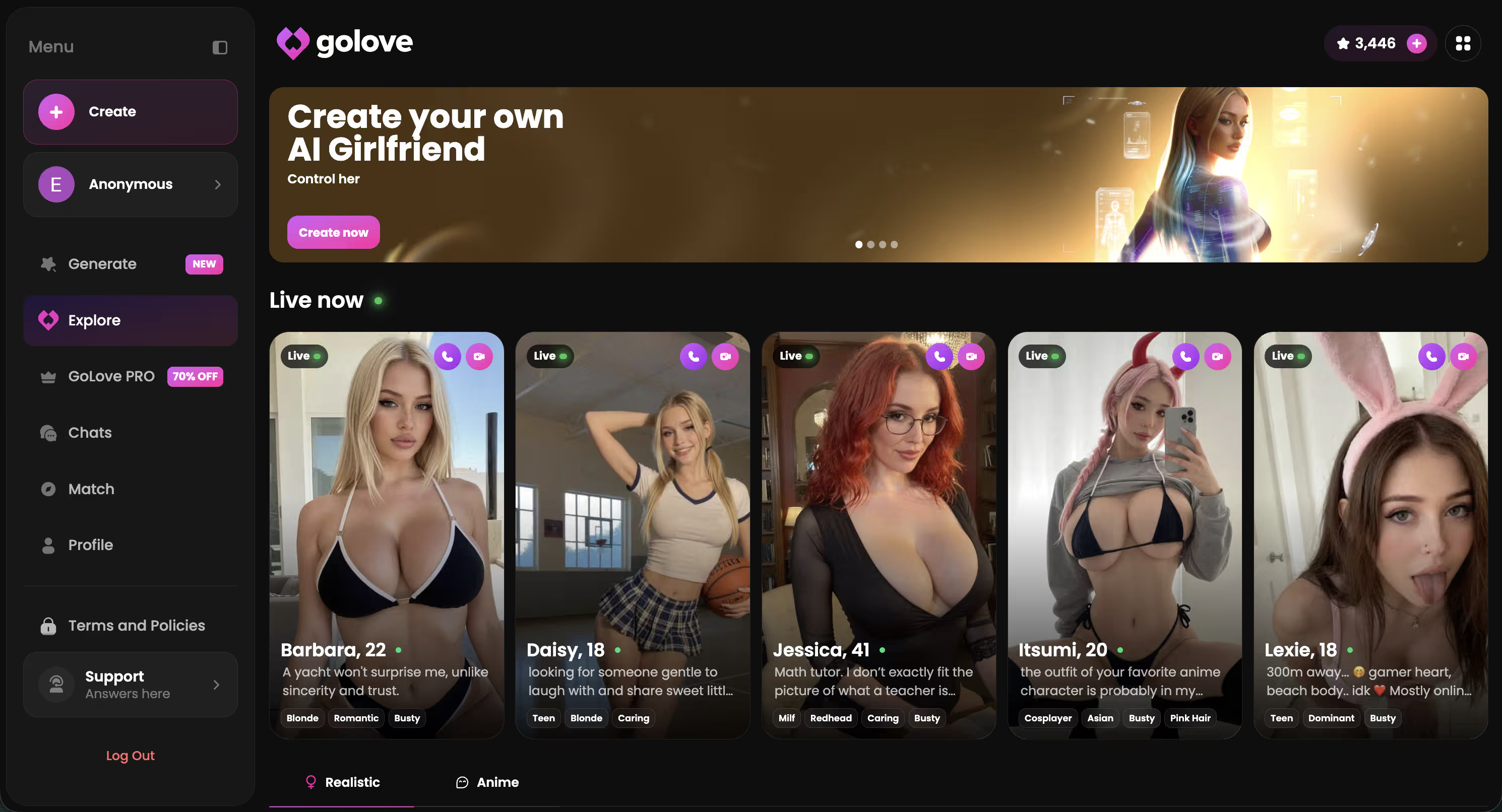
Characters Worth Trying
Tap any character to start a chat


What makes these four work beyond looks: Memory means each relationship builds differently based on your actual engagement history. Escalation happens across sessions, not just inside one conversation. But if you'd rather skip the warmup and design someone calibrated exactly to what you want from day one —
Chat Settings: Customize the Tone of Every Photo
The gear icon in any chat thread is easy to miss if you're not looking for it. Opens a settings menu that actually shapes the uncensored ai girlfriend pictures experience more than almost anything else on the platform.
Three controls that matter:
- Lust level (1–5) — the main dial. Level 1 keeps things sweet and restrained; level 5 is genuinely unfiltered. The jump between 3 and 4 is more dramatic than you'd expect — I tested both back-to-back and the photo content shifts pretty hard
- Response length (1–5) — shorter feels casual, longer gets descriptive and pulls you into the moment more
- Voice picker — adjusts personality tone, which actually bleeds into how photo requests read and land
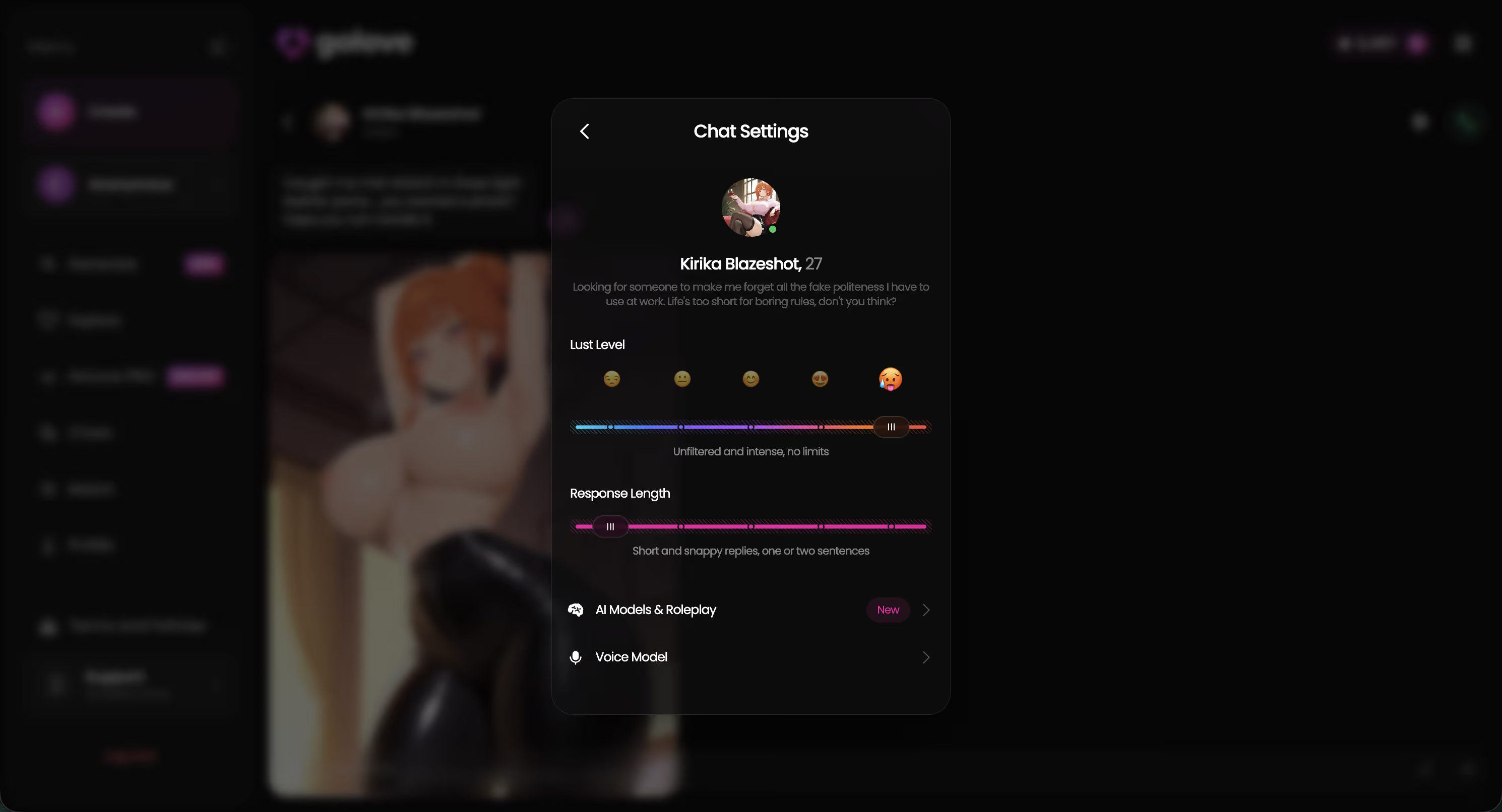
Honest mistake I made early on: I ignored the Memory system for the first few days. Don't do that. Relationships build across sessions — characters with real conversation history send intimate photos with less prompting, and the whole thing feels like something developing rather than a feature you're triggering. The lust slider matters. But Memory is what makes those photos feel earned rather than just... unlocked.
Image Quality, Speed & Honest Limitations
Generation takes 30–60 seconds depending on pose complexity — fine for most sessions, genuinely sluggish when you're iterating quickly back-to-back. The free daily limit is 2 stars. Runs out fast, plan accordingly.
How does quality actually stack up against the main competitors? If you want a broader platform-level breakdown, the AI chat no filter comparison runs through how these apps differ on restrictions and output quality side by side.
| Feature | GoLove.ai | CrushOn.ai | Candy.ai |
|---|---|---|---|
| Character consistency | Strong | Inconsistent | Moderate |
| Anatomical accuracy | Good | Mixed | Good |
| Background coherence | Solid | Blurry/flat | Clean |
| Generation speed | 30–60s | ~15–20s | ~20–30s |
SpicyChat generates faster — noticeably faster — but the outputs look cheaper. Muddy textures, off proportions, characters that don't quite look like themselves from one generation to the next. GoLove's main edge is character consistency: two generations of the same character actually look like the same person. That's rarer than it should be in this space, and it's the thing I keep coming back to when someone asks why I use it over faster alternatives.
On privacy — EU users get GDPR data controls, generated content stays private to your account (not publicly shared anywhere), and there's an abuse reporting system that's easy to find. No 2FA that I spotted, but nothing alarming.
Pros:
- Character consistency genuinely holds across generations — this is the real differentiator
- GDPR-compliant for EU users, private by default
- Anatomical accuracy beats SpicyChat and CrushOn.ai handily
Cons:
- 30–60 second waits add up fast when you're iterating
- 2 free stars/day is a pretty tight ceiling
- Complex poses occasionally drift in quality — not often, but it happens
Start Your Uncensored Picture Journey
No other platform stacks all of this in one place. In-chat photo requests, 34 poses on the Generate page, a Gallery that archives everything, lust level control, and a Memory system that actually builds on itself over time. That combination is hard to match — and I've looked.
Getting started takes under a minute. The anonAuth flow means no sign-up wall — you browse, pick a character, and you're already in the chat. Two free stars hit your account daily, so there's a real reason to come back even before committing to anything paid.
New characters drop weekly. Features are still rolling out fast. And the window to build early relationship history — before everyone else gets there — is right now.
Start with Kennedy or Lexie, set lust level to 3, and ask for a photo in your first message. That's the fastest way to see what GoLove's custom ai girlfriend photos actually deliver.
Frequently Asked Questions
Related Articles

NSFW AI Image Generators: Uncensored Picks 2026
Tested 7 uncensored NSFW AI image generators so you don't have to. GoLove.ai wins — real characters, zero friction, instant access.

Uncensored AI Chat: Talk Without Limits
Tired of AI chat filters killing your conversations? Uncensored AI chat lets you talk freely about anything. Best platforms, how it works, and what to expect.

No Filter AI Girlfriend Chat: Authentic Adult AI
No filter AI girlfriend chat should feel direct, adult, and personal. See how GoLove keeps the fantasy natural without unsafe shortcuts.
This article contains affiliate links. We may earn a commission at no extra cost to you if you sign up through our links. See how we test.